
 For business
AI Search Readiness Checker
Make your site readable to AI search
Subscription
from $9/month▶ Check a site free (3 a day)
Home › Store › For business › Bank Statement to Excel Converter

Bank statement PDF to Excel, on your device
▶ Convert a statement freeWhat you get: Bank statements to Excel, unlimited pages. Prices in USD, + tax where applicable (shown at checkout before you pay). See all 3 options
Secure checkout by Stripe (shown as Link) · instant delivery · refund policy
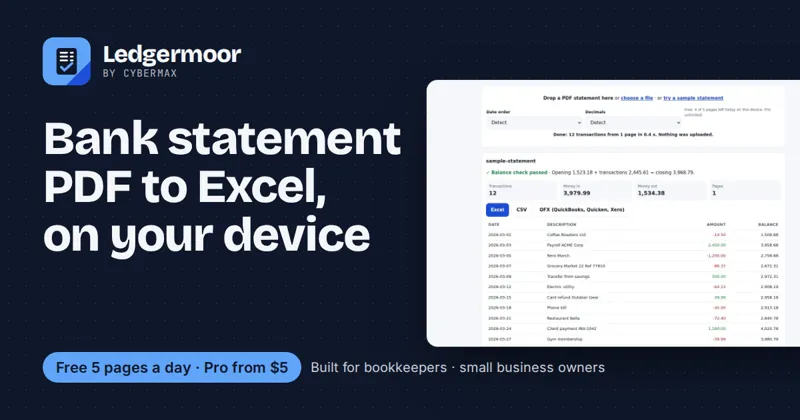
Free to use in your browser right now, no sign-up. Upgrade only if you want more.
What you get: Bank statements to Excel, unlimited pages. Prices in USD, + tax where applicable (shown at checkout before you pay). See all 3 options
Secure checkout by Stripe (shown as Link) · instant delivery · refund policy
Ledgermoor Pro converts bank statement PDFs to Excel, CSV and OFX in your browser with a balance check, including scanned statements: unlimited pages, several statements at once.
Human support: cybermax.tools@gmail.com · Tax handled at checkout · 14-day fix-or-refund terms
14-day fix-or-refund if it doesn't work as described: email us within 14 days and we fix it or refund you in full. Refund terms.
Prices in USD, + tax where applicable (shown at checkout before you pay).
Ledgermoor Pro converts bank statement PDFs to Excel, CSV and OFX in your browser with a balance check, including scanned statements: unlimited pages, several statements at once.
Buy nowLedgermoor Pro converts bank statement PDFs to Excel, CSV and OFX in your browser with a balance check, including scanned statements: unlimited pages, several statements at once.
Buy nowLedgermoor Pro converts bank statement PDFs to Excel, CSV and OFX in your browser with a balance check, including scanned statements: unlimited pages, several statements at once.
Buy nowLedgermoor Pro converts bank statement PDFs to Excel, CSV and OFX in your browser with a balance check, including scanned statements: unlimited pages, several statements at once. Statements never leave your device. A file tool, not financial advice. One payment, 7 days of Pro, no renewal. Your licence key appears the moment checkout finishes.
Checkout is handled by Stripe. Your download, licence key or API key and your receipt arrive by email right after payment.
Yes. If it doesn't work as described, email us within 14 days and we fix it or refund you in full. See the refund policy.
Card details go only to Stripe. CyberMax never sees them; sales tax or VAT is calculated at checkout.
Any time, from the link in your receipt email. You keep access until the end of the paid period.
Published prices, checked 2026-10-01: DocuClipper, Starter $20/month billed annually for 60 pages/month; CapyParse, Starter $24/month or $290/year for 150 pages/month. Bank Statement to Excel Converter starts at $5, and you can try it free on this page before paying.
Bank Statement to Excel Converter · from $5
For business
Make your site readable to AI search
 For business
A client-ready proposal PDF in minutes
 For business
Know when a competitor changes a price
 For business
Know when a competitor changes anything
Prices and plans generated from live Stripe data on 17 Nov 2026.