Merge PDFs without uploading them: free, in your browser
Pagebraid does every PDF job on your own device. The app loads nothing from other sites, so contracts, statements and IDs never leave your computer, and it keeps working offline. Merge, split, reorder, rotate, page numbers and watermarks are free. Pagebraid Pro adds compression, OCR that makes scans searchable, true redaction (matched pages are flattened, so the text is gone, not covered), signatures and batch.
How do I merge PDF files without uploading them?
Use a tool that does the work in your browser instead of on a server. Pagebraid loads once, then merges, splits and reorders PDFs on your own computer: the files never leave it, and it keeps working offline. Merging is free with no limit on files.
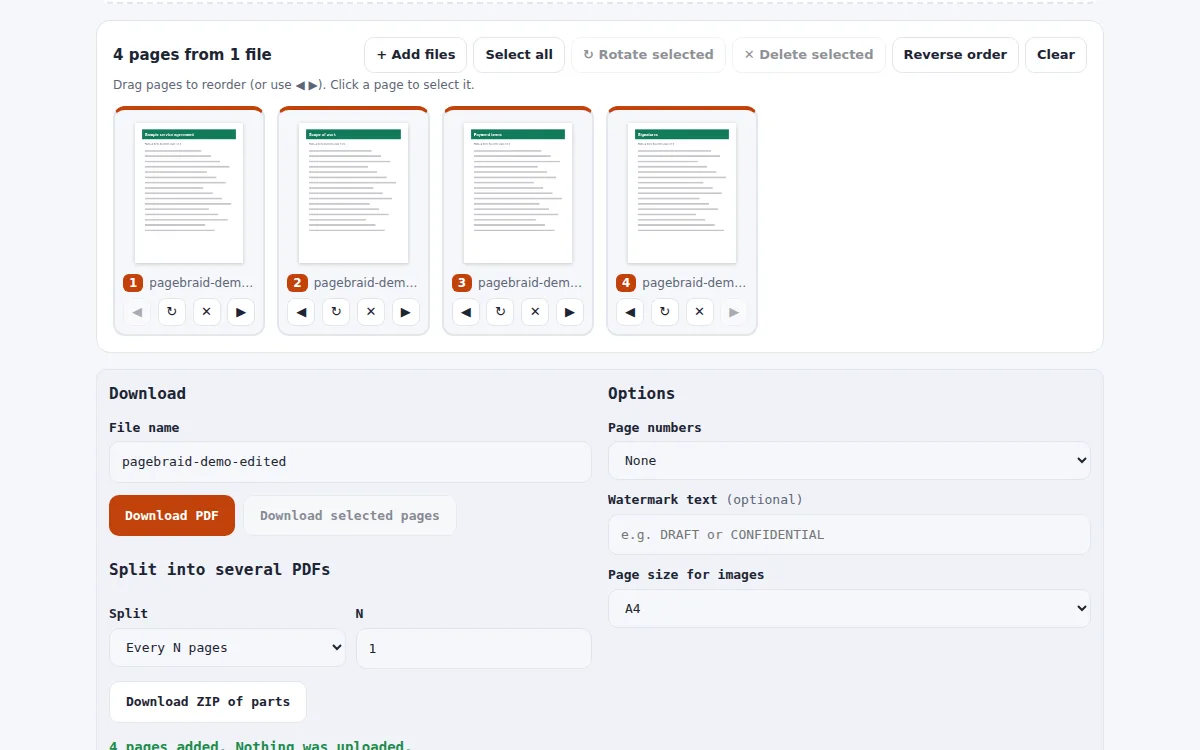
- Open Pagebraid and drop your PDFs (and images, if any) onto the page.
- Drag the page thumbnails into order; rotate or delete pages as needed.
- Click Download PDF. Nothing was uploaded at any step.
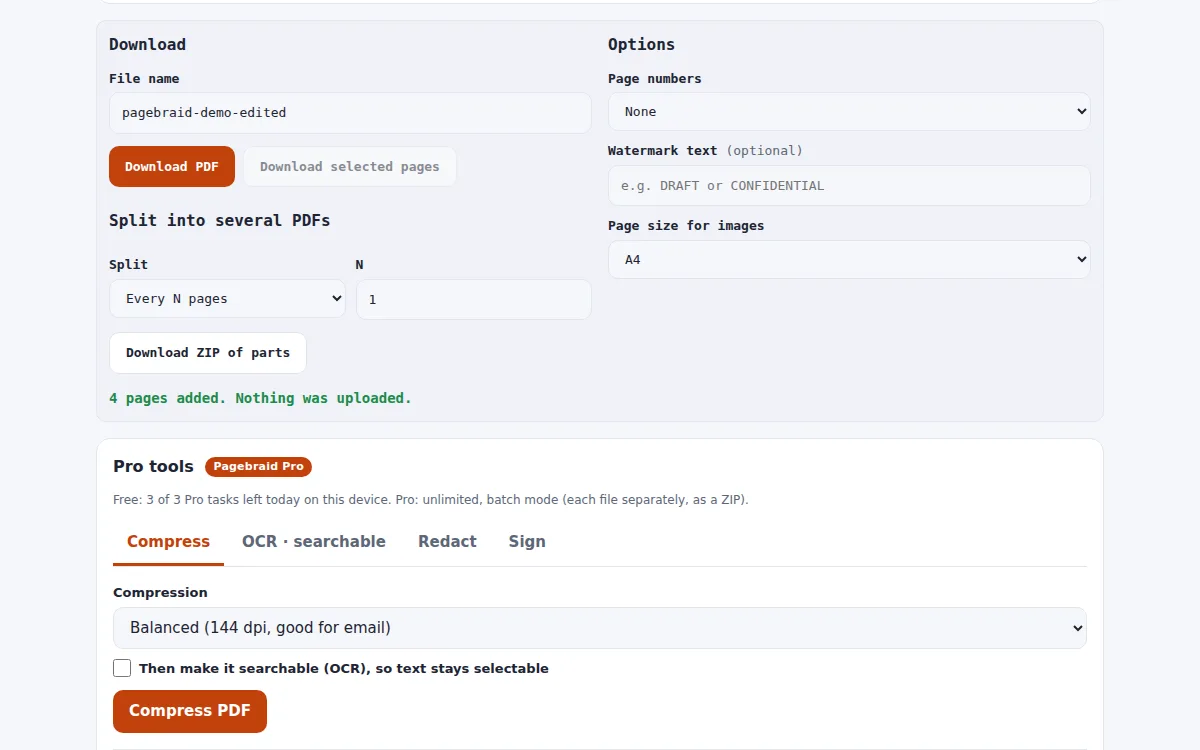
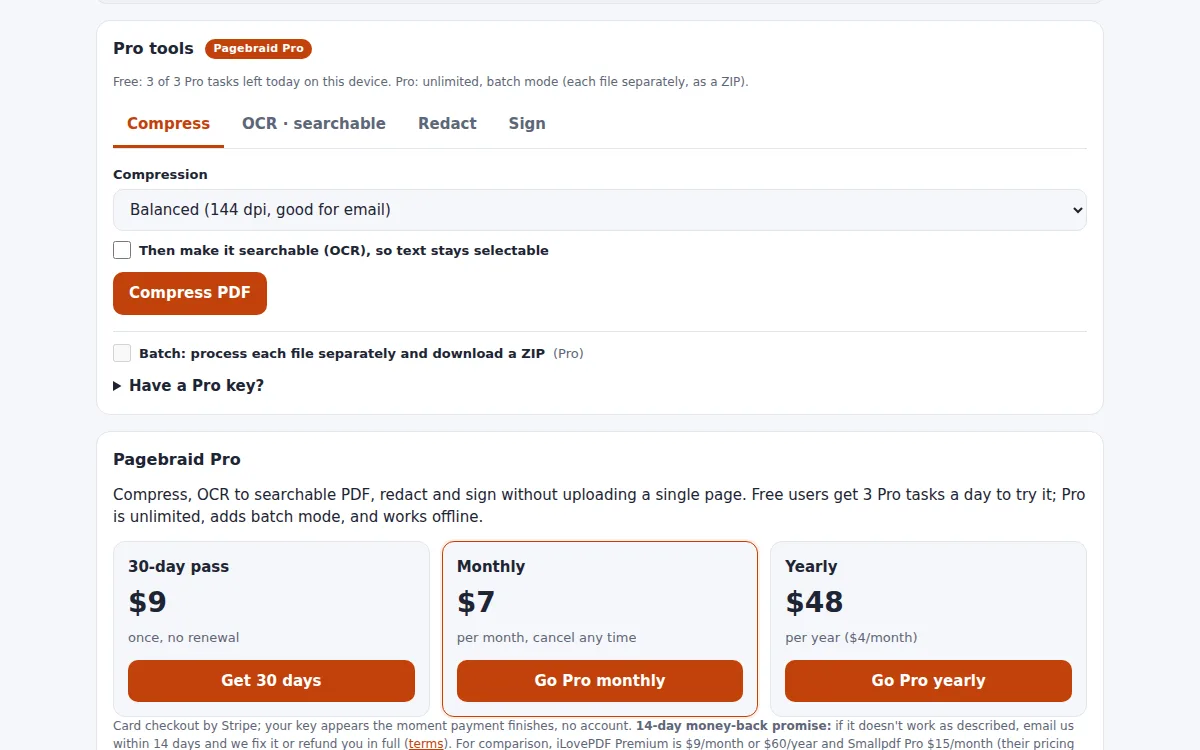
Real screenshots
Free vs Pro
| Free | Pro | |
|---|---|---|
| Merge, split, reorder, rotate, page numbers, watermark | yes | yes |
| Compress (Balanced, Strong, Lossless) | 3 tasks a day | unlimited |
| OCR to searchable PDF (English) | 3 tasks a day | unlimited |
| Redact terms, emails, phones, card numbers | 3 tasks a day | unlimited |
| Sign (drawn or typed) + date | 3 tasks a day | unlimited |
| Batch: many PDFs to one ZIP | no | yes |
Source: Pagebraid Pro plans and the live test of 1 Oct 2026 (18 checks).
Why "without uploading" matters
Most online PDF tools send your file to their server, process it there and send it back. For contracts, bank statements, HR files and ID scans that is a copy of a sensitive document on someone else's computer, even if it is deleted later.
Pagebraid uses PDF libraries that run inside the browser. You can check it yourself: load the page, switch your network off, and merging still works.
Merge, then finish the job
After merging you can add page numbers or a DRAFT/CONFIDENTIAL watermark for free, or split the result back into parts as a ZIP.
Pro adds compression (a 1.9 MB scan came out at 213 KB in our 1 Oct 2026 test), OCR that makes scans searchable, redaction and a drawn or typed signature.
Pagebraid Pro vs the alternatives
Published prices, each checked on the date shown; prices change, so confirm on each site.
| Product | Price | Free | Checked |
|---|---|---|---|
| Pagebraid Pro | $7/month; $48/year; $9 for a 30-day pass | Merge, split, organize + 3 Pro tasks a day | live |
| iLovePDF Premium | $9/month billed monthly; $60/year ($5/month) billed yearly | free plan with limited document processing | 2026-10-15 |
| Smallpdf Pro | $15.00/month; Team $12/seat/month | free plan | 2026-10-15 |
| Sejda | Web Week Pass $5 (7 days); Web Monthly $7.50/month; Desktop+Web $63/year | free with page and hourly limits | 2026-10-15 |
Why teams pick Pagebraid Pro
- Files never leave your device: no upload, no server copy to worry about.
- Merging, splitting and organizing are free with no file cap.
- Pro is $7/month, under iLovePDF ($9) and Smallpdf ($15) monthly prices checked 15 Oct 2026.
- True redaction in Pro: matched pages are flattened, so hidden text cannot be copied back out.
How it works
- Open Pagebraid and drop your PDFs (nothing is uploaded).
- Pick Compress, OCR, Redact or Sign; the result appears in seconds.
- Download the file, or the ZIP for a batch. Pro unlocks with the key shown right after checkout.
FAQ
Is it really free to merge PDFs?
Yes. Merge, split, reorder, rotate, delete pages, page numbers and watermarks are free with no file cap. Pro tools (compress, OCR, redact, sign) have 3 free tasks a day.
Does it work offline?
Yes. Once the page has loaded, the tools run on your device and keep working without a connection.
Why not iLovePDF or Smallpdf?
Both are mature suites with more tools, but they process files on their servers. Pagebraid keeps files on your device and Pro costs $7/month vs $9 and $15 (15 Oct 2026).
Can I merge images and PDFs together?
Yes. Drop JPG or PNG files with your PDFs; each image becomes a page (A4, US Letter or the image size).
Are the signatures legally binding?
They are visual signatures (a drawn or typed image plus a date), not certificate-based digital signatures.
Limits?
OCR is English only; bookmarks and form logic are not carried over; password-protected PDFs are refused.