Google Trends scrapers on Apify compared: price, output and limits
Which Google Trends scraper on Apify should I use?
If you want one ready answer per keyword (rising, falling or spiking, % change, peak, related and rising queries, top regions) at a flat $0.003 with compute included, use Swellmeter. If you run large volumes on a paid Apify plan and want raw Google Trends data with every option, the Apify-maintained Google Trends Scraper costs less per result on higher plans.

Swellmeter: Know if any search trend is rising or falling
$0.003 per keyword, failed lookups freeOne record per keyword: interest over time, a rising/falling/spiking verdict, % change, peak and latest week
Runs on your own Apify account, pay per result; failed results are not charged.How we compared
- Price per result as Apify's public pricing API reports it today
- What one charged result contains
- Whether platform compute is extra
- What is charged when a lookup fails
Side by side
| What buyers compare | Swellmeter (CyberMax) | Apify Google Trends Scraper | data_xplorer Google Trends Scraper |
|---|---|---|---|
| Price (live from Apify) | $3.00 per 1,000 (keyword analyzed); $3.00 per 1,000 (trending list) | $6.00 per 1,000 (result) on the Apify Free plan, $1.50 on the top plans | $2.00 per 1,000 (result) on the Apify Free plan, $0.50 on the top plans; plus $0.025 per run start |
| What one charge returns | One keyword: timeline, verdict, % change, peak, related + rising queries, top regions | One dataset item (interest over time, by region, related queries or topics, depending on the options you choose) | One dataset item (trending searches by country or keyword trend data) |
| Trend verdict (rising / falling / spiking) | Yes, with % change | Not stated on its page | Not stated on its page |
| Monitor / changes only | Yes (monitor mode) | Schedule runs on Apify | Schedule runs on Apify |
| Maintained by | CyberMax | Apify | data_xplorer (community developer) |
Sources: Swellmeter (our live page) · Apify Google Trends Scraper (checked 2026-11-11) · data_xplorer Google Trends Scraper (checked 2026-11-11).
The options and their published prices
| Option | Published price | Notes | Source |
|---|---|---|---|
| Swellmeter (CyberMax) | $3.00 per 1,000 (keyword analyzed); $3.00 per 1,000 (trending list) | One record per keyword: interest over time, a rising/falling/spiking verdict, % change, peak and latest week; Related and rising queries plus top regions in the same record; Compare up to 5 terms on one scale; daily trending searches per country | Our page |
| Google Trends Scraper (apify/google-trends-scraper) | $6.00 per 1,000 (result) on the Apify Free plan, $1.50 on the top plans | Pick it if you run large volumes on a paid Apify plan and want every raw Google Trends option (categories, subregions, related topics) | Their page |
| Google Trends Scraper (data_xplorer/google-trends-fast-scraper) | $2.00 per 1,000 (result) on the Apify Free plan, $0.50 on the top plans; plus $0.025 per run start | Pick it if daily trending searches by country are the main thing you need at volume | Their page |
Rival prices as shown on each seller's own page (Apify Actors: Apify's public pricing API), checked 2026-11-11. Prices change; check the seller's page before buying. Options whose price we could not confirm on that day are left out.
Where the alternatives are better
- Google Trends Scraper (apify/google-trends-scraper): Cheaper per result on Apify's paid plans, maintained by Apify, and it exposes related topics as well as queries.
- Google Trends Scraper (data_xplorer/google-trends-fast-scraper): Lower per-result price than Swellmeter at every Apify plan level once you run enough results to absorb its per-run start fee.
Which one should you pick?
Choose Swellmeter if
- you want a verdict per keyword (rising, falling, spiking) instead of raw rows to post-process
- you are on Apify's free plan or run small batches, where a flat price with compute included is simpler
- an AI agent or no-code flow calls it and needs one stable record per keyword
Choose Apify Google Trends Scraper if
- you run large volumes on a paid Apify plan and want every raw Google Trends option (categories, subregions, related topics)
- you prefer a scraper maintained by Apify itself
Choose data_xplorer Google Trends Scraper if
- daily trending searches by country are the main thing you need at volume
What Swellmeter includes
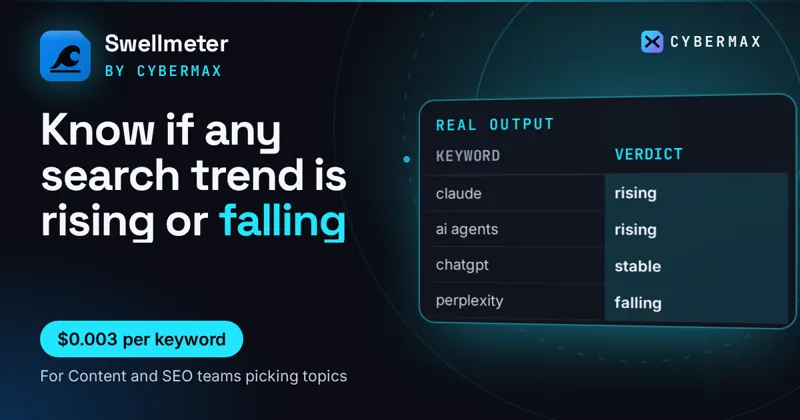
- One record per keyword: interest over time, a rising/falling/spiking verdict, % change, peak and latest week
- Related and rising queries plus top regions in the same record
- Compare up to 5 terms on one scale; daily trending searches per country
- Monitor mode: schedule it and get only keywords whose trend changed
- Failed lookups and keywords with no measurable volume are not charged; compute is included
Questions
Which Google Trends scraper on Apify should I use?
If you want one ready answer per keyword (rising, falling or spiking, % change, peak, related and rising queries, top regions) at a flat $0.003 with compute included, use Swellmeter. If you run large volumes on a paid Apify plan and want raw Google Trends data with every option, the Apify-maintained Google Trends Scraper costs less per result on higher plans.
Why not just use the official Google Trends website?
You can for a few terms. A scraper is for many keywords, schedules, spreadsheets and AI agents, where copying charts by hand stops working.
Is Google Trends data absolute search volume?
No. Google Trends shows relative interest on a 0 to 100 scale for the place and time range you choose, so compare terms in the same request.
Do I pay Apify compute on top with Swellmeter?
No. Swellmeter's event price includes the platform compute. Some other Actors bill compute separately; the live price line above says so where that applies.
Swellmeter: Know if any search trend is rising or falling
$0.003 per keyword, failed lookups freeKnow if any search trend is rising or falling
Runs on your own Apify account, pay per result; failed results are not charged.Free how-tos
Related comparisons
Apify Actors compared: scrapers and data APIs · All comparisons · Browse the store
Price tables for every product · Alternatives to popular tools
Free: the Free API Starter Kit
Copy-paste calls for 4 APIs with free daily tiers (CVE priority, VIN recalls, US duty rates, email checks), then 5 short emails on KEV/EPSS, MCP and free data.